Find items
Capture items using a smartphone camera, for example on an iPhone, or a barcode scanner. Search also supports barcodes and supplier item numbers.

POS SYSTEM FOR MUSEUMS & CULTURAL VENUES
Your exhibition moves people.
Megara brings your museum's daily work together.
Ticket sales, admission, your museum shop and stock management work together. For hidden gems and major attractions. For your team – and for visits worth remembering.

IN GOOD
COMPANY.


 Remarkable places.
MANY PLACES. ONE PASSION.
A classic car collection offers different experiences from an art gallery. Explore how ticketing, admission and sales can work together in different kinds of museum.
A GLIMPSE OF MUSEUM LIFE
A family discovers historic vehicles, books a guided tour and takes home a model car. School classes and individual visitors arrive that same day. Megara connects the right tickets with admission and sales in the museum shop.
Behind the scenes, items remain traceable too: from the delivery of the miniatures to the next stocktake.
Admission, tours & special exhibitions
Model cars, metal signs & books
Sales, stock levels & reorders
ART NEEDS SPACE
The permanent collection stays open, a special exhibition launches and a workshop starts in the afternoon. Different tickets, dates and concessions help organise the programme clearly.
Exhibition catalogues and editions find their place in the shop. Sales and stock can be assigned to the relevant items and product groups, even as the programme changes.
Permanent collections & changing programmes
Tours, workshops & groups
Catalogues, editions & gifts
A VENUE THAT TRANSFORMS
A reading, concert, talk or museum night: events need suitable time slots, available places and a clear admission process. Megara helps connect event bookings, ticket checks and sales at the venue.
Drinks and additional offers are part of the picture. Your venue determines which processes are shared and which are reported separately.
Dates, time slots & available places
Tickets & group admission
Food, drinks & accompanying offers
01 / TICKET SALES & TIME SLOTS
Dropping in, reserving a guided tour or arriving with an entire class: different plans need ticketing that keeps up.
Megara connects sales at the counter with digital booking channels and SelfOrder terminals. Admission tickets, group offers and additional services are set up to match your programme.
For timed activities, scheduled dates and available places help structure the day. Your team can see which slots are booked and where there is room for more guests.
Standard admission, concessions or a promotion: multiple price levels and discount rules accommodate different offers. Your team does not have to work out the right price from scratch for every booking.
Membership and club cards can also form part of the setup. We match the card type, reader and access permissions to your existing offers.
Dates and capacities can be set for tours, workshops and other timed activities. The overview distinguishes booked, provisionally reserved and available places. This helps with daily planning and enquiries at reception.
How availability is coordinated between the counter and external sales channels is configured for the booking channels you use.
An integration with bookingkit connects event, booking and ticket data with Megara. This lets your museum bring existing digital sales channels into its daily work on site.
The setup depends on your booked service package and ticket range. We assess other platforms based on your existing sales process.
02 / ADMISSION & GROUPS
The entrance is where people meet. A clear ticket check takes pressure off your team and leaves room for a welcome, directions and your visitors' questions.
At a staffed entrance or a suitably equipped access point.
Recognise tickets, record admission and identify tickets already used.
Match admission, visitor counting and capacities to your venue.
Group tickets and the booking overview support school classes, tour groups and guided visits. Ticket checking distinguishes unused and already redeemed tickets within a group. On an iPad, the team has the booking at hand at the entrance.
A handheld scanner may be enough for a staffed entrance. For larger visitor numbers, turnstiles or glass access gates are options. Scanners, displays, passage width and visitor counting are planned for the location.
Pushchairs, wheelchairs and accompanied groups belong in that planning too. The exact arrangement follows the space available and your operational requirements.
03 / SELFORDER & INTERNATIONAL VISITORS
At a SelfOrder terminal, guests choose their own tickets at the venue. Depending on the equipment, payment and ticket printing follow at the same device. This adds another point of sale while your team handles personal advice and special requests.
The tickets and extras shown on screen follow your visitor experience. Multilingual text and clear choices help international guests find their way too.
The ticket range, printer and payment are configured as one process. The card reader, terminal and network connection need to work together. A workshop or special exhibition can be included as an extra when the relevant booking rules are in place.
04 / MUSEUM SHOP, CAFÉ & STOCK MANAGEMENT
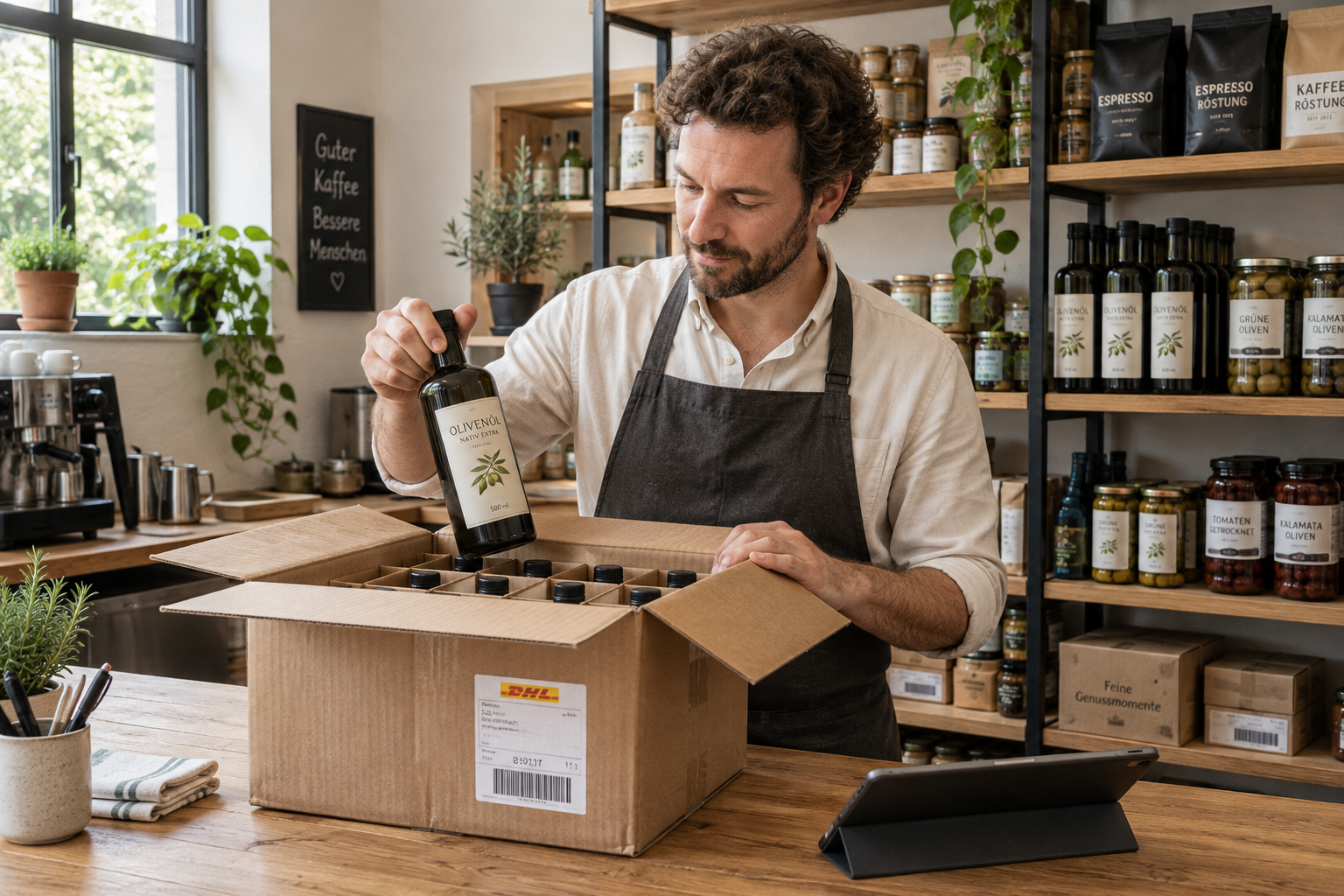
A model car for the display cabinet. A metal sign for the workshop. A catalogue to keep exploring. Souvenirs bring the excitement home – and deserve a well-organised sales process.
Megara connects your museum shop's till with product and stock management. Prices, product groups and barcodes give the range structure. Stock levels and minimum quantities help identify items running low.
The café is part of the visit too. Drinks, cakes and other offers can be managed through the till. Organising sales by area helps you keep an overview of the whole venue.
Record deliveries, view stock by storage location, trace stock movements and prepare supplier orders: stock management follows items through your business. Suppliers, item numbers and pack sizes make them easier to identify.
An online shop can also form part of the sales setup. Which products and stock levels are synchronised depends on the chosen integration.
05 / STOCKTAKING & STOCK LEVELS
What the system records and what sits on the shelf belong together. Clear stocktaking helps your team record counts and investigate differences.
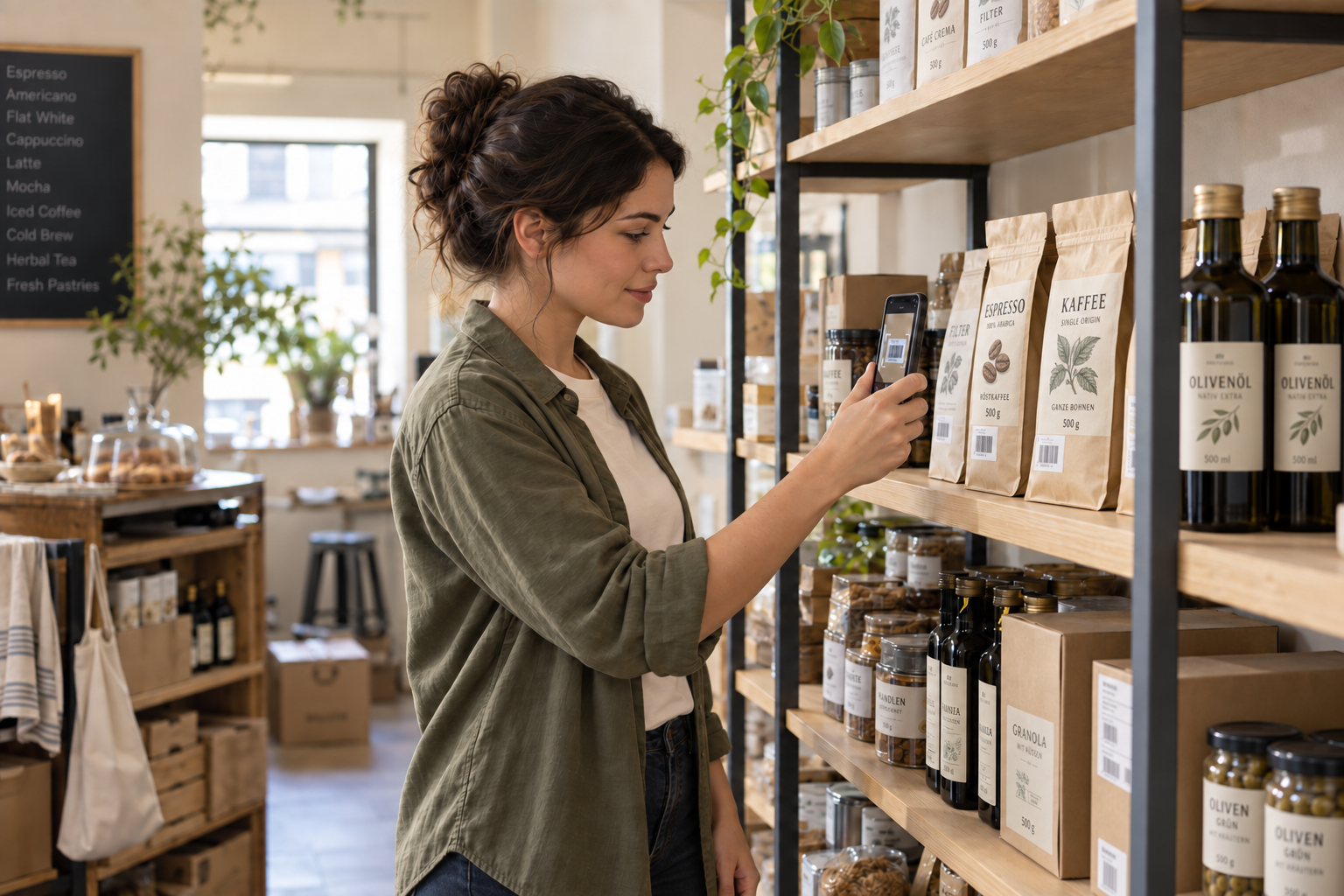
Capture items using a smartphone camera, for example on an iPhone, or a barcode scanner. Search also supports barcodes and supplier item numbers.
Enter counts right at the shelf. The overview shows the item, recorded stock and counted quantity; storage locations and product groups help narrow the list.
Compare counted and recorded stock. Differences and count details remain traceable. Results can be exported as a table.
The stocktake report organises results by storage location and product group. Alongside quantities, you can identify who counted and when. The table export makes further work easier, for example in Excel or for internal reviews.
06 / REPORTS & DECISIONS
Which offers attract interest? What sells in the shop? How is revenue distributed? Megara turns recorded sales and visit data into useful information for daily decisions.
Ticket sales and booked activities help you understand demand. Visitor numbers add to the picture when the relevant counting is set up.
View revenue by item, product group and sales area. Souvenirs and café offers become clear parts of your reports.
Compare daily reports and periods, review payment methods and access key reports on the go when remote access is configured.
Megara provides daily reports and breakdowns by product group and payment method. Useful measures depend on the recorded data and how your venue is organised. Sales and actual visitor numbers are treated as separate figures.
Exports are available for accounting, including DATEV, a widely used data format for tax advisers and accounting in Germany. Accounts and assignments are configured for your business.
07 / TECHNOLOGY, PAYMENT & RELIABILITY
A local server provides the foundation. Tills, scanners and other devices work together over your venue's network. External services complement this setup where needed.
Locally available till and ticket functions can keep working during an internet interruption. This requires a working server, power and a functioning network within the venue.
An internet interruption is different from a server failure. Tickets already stored locally can be checked locally. New bookings from external platforms must first be transferred; card payments and remote access may also need an internet connection.
We clarify which processes remain available in your specific setup before use. That gives your team a plan it understands.
Cash and integrated card payments form part of the shared sales setup. Contactless and mobile payment options depend on the terminal and payment provider in use.
Receipts, daily closing reports and user permissions support clear routines. Technical protection of till records is also considered during setup. The configuration is matched to the country of use and operational requirements.
bookingkit, accounting, card readers or your shop: we check which existing systems can be connected. The provider, the data needed and a clear process for your team determine what fits.
08 / SERVICE & SUPPORT
A good POS system begins with a good understanding of your business. From the first walkthrough of your routines to everyday support, we work personally with your team.
Review ticket types, entrances, groups, the shop and existing devices. Build a solution that fits your venue and your budget.
Base setup and training on real tasks. Help reception, shop and administration teams start their work with confidence.
Telephone and online support around the clock, with on-site help when needed. We discuss the right service coverage for your venue.
GOOD QUESTIONS. CLEAR ANSWERS.
Find key functions and requirements at a glance. For the details that make your venue unique, a personal conversation is the best place to start.
Ask your question ↗Megara can be configured for museums, exhibitions and cultural venues of different sizes. Examples include automotive and technology museums, art galleries, historical collections and cultural centres with event programmes. The right combination follows your ticket sales, admission, group activities, shop and on-site catering.
Yes. The till can handle admission tickets, souvenirs and food and drink items within the same business. Separate sales areas and product groups help with organisation and reporting. Prices, items and responsibilities are configured so each team can manage its tasks clearly.
Yes. Event bookings, time slots and group tickets support guided tours, school classes and other group activities. Available places can be viewed within the configured capacity. Ticket checks distinguish unused and already redeemed tickets within a group.
An integration with bookingkit is available. Whether it fully supports your current process depends on the offers and functions you use. We assess other platforms based on their integration options and your requirements. Before a change, we clarify which data will be transferred and how it will be used at the entrance.
The local server and your venue's network provide the foundation for functions available on site. If both are working, local processes can continue. External bookings, certain payment methods and remote access may require an internet connection. The exact offline arrangements are defined for your setup.
Yes. Products, barcodes, stock levels, minimum quantities, deliveries and supplier orders can be managed. During a stocktake, the team records counts and compares them with the recorded stock. Reports show differences, and results can be shared as a table.
Your ticket types, sales channels, entrances and group activities are a useful start, along with details of the museum shop and café. Existing devices, booking platforms and the accounting connection you need are also relevant. Together, these show which components are needed and how to introduce them sensibly.
YOUR COLLECTION IS UNIQUE. YOUR SOLUTION CAN BE TOO.
A venue full of ideas. A team with experience.
Let's discover what they can make possible together.
Personal. Clear. Built around your venue.