Easy to handle
Take orders and extras clearly.

POS system for cafés & shops · In detail
The first espresso. A counter full of cakes. And someone in a hurry. Megara brings orders, payments and your shop together, leaving time for what makes your place special.
For cafés, patisseries, coffee shops and cafés with retail.
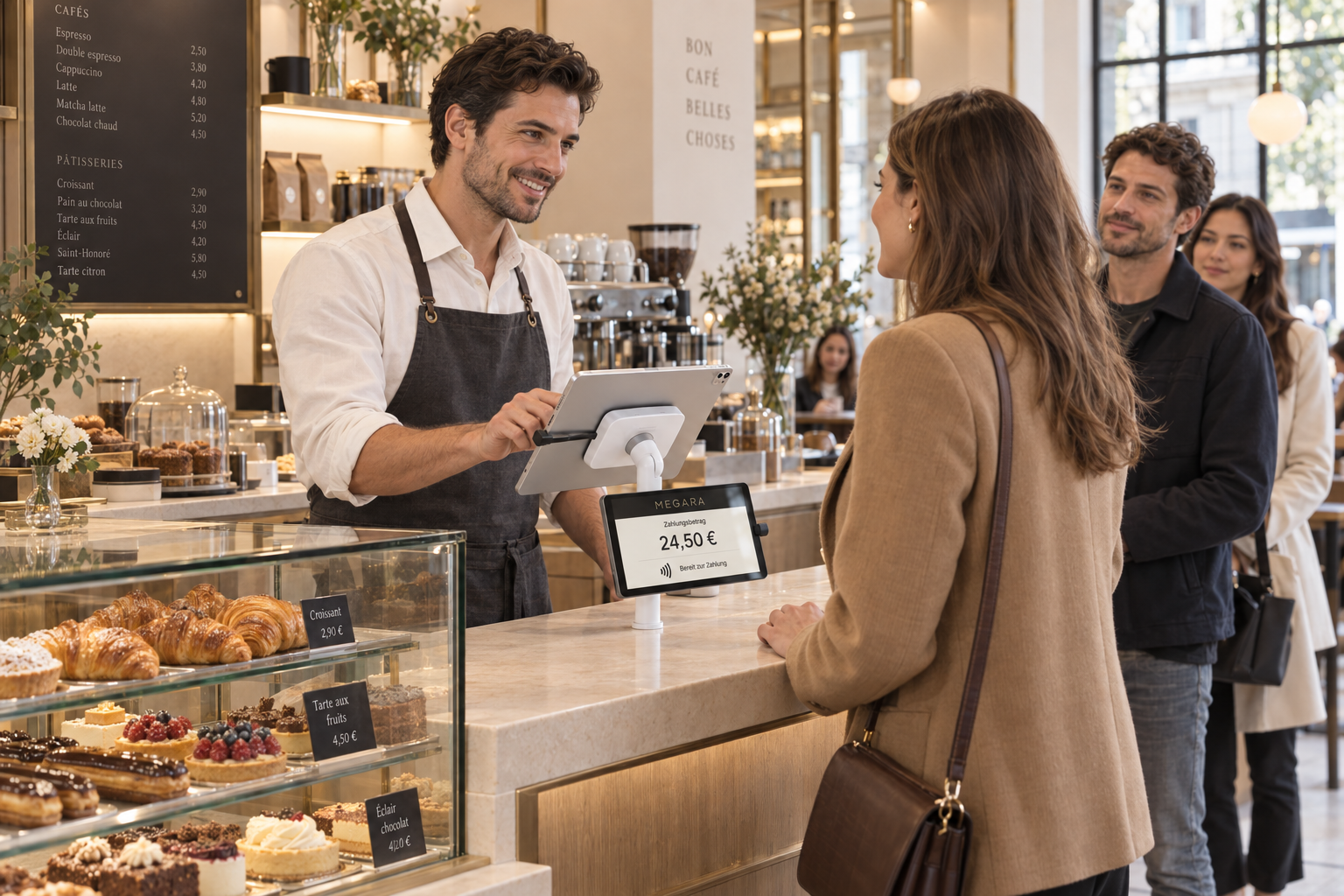
Coffee · Cake · Favourite finds
Take orders and extras clearly.
At the counter, at the table and in your shop.
Till data on your local server.
01 / A day with Megara
Every place has its own rhythm. Discover how Megara connects the small transitions throughout the day, from the first takeaway coffee to closing the till.
A cappuccino, a croissant, and the next order is already waiting. Popular items are within easy reach on the till. Size, milk alternative and special requests stay with the right drink.
Your team takes the order at the counter and completes the sale there. A short visit fits into a clear sequence, even when several guests order at once.
We arrange items and product groups around what you actually sell. Pictures make choices easier to find, and short entries can call up frequent orders. Whether guests pay straight away or their order stays open depends on your service style. We set up the appropriate sales rules for takeaway and eating in.
Guests choose cake from the display, then take a seat. Drinks are added at the table. A coordinated process connects their selection to the right table, so your team can find the orders that belong together.
We establish when the table is chosen, who reads the QR code and where cake and drinks are handed over. Moving to the terrace and later paying together or separately are also part of the plan. QR assignment relies on the right setup for your business.
A bag of beans joins the cappuccino. Perhaps a cup or a gift voucher as well. Megara connects your café with retail sales and keeps items, prices and stock clear.
An item from the shelf may need different settings from a freshly prepared drink. We set up suitable product groups, barcodes and pricing rules. Reports let you view the areas separately while your team works within the same system at the point of sale.
What sold today? How do sales break down across coffee, cake and shop items? Daily reports and analyses make sales traceable. Recorded payment methods help with reconciliation at the end of the day.
Together, we decide which reports your team needs and how data reaches your accounts. The existing DATEV export can support further processing. Account mapping and export scope are configured for your business and agreed with your accountant.
02 / Orders with personality
Good coffee is rarely just coffee. Your till should make that variety easy to manage, for new colleagues and experienced teams alike.
Organise coffee, cold drinks, cake and shop items around the way your team works. Pictures help distinguish similar products quickly.
A well-arranged sales screen starts with your most frequent orders. Together, we decide which items should be visible immediately and which remain available through their product group. This keeps choices clear even when your range changes.
Milk alternatives, sizes, extra espresso and other additions are recorded as item options. A free-text note captures further requests.
Options can be organised into groups with selection rules. These define which details are required and which combinations are offered. Configured additional charges follow the selection. Pictures and clear names make choosing easier.
Frequent orders can be entered using short commands. These shortcuts work much like notes on a waiter's pad, with the order going straight into the system.
We configure short entries for your range and working style, then practise them with your team. The clear item selection remains available alongside them. Everyone can use the method they feel confident with during service.
Try it yourself
Choose the extras in this example. The summary shows which requests belong together with the drink.
Oat milk · Takeaway
03 / Cake counter, tables & terrace
The nicest decision happens at the cake display. Everything afterwards should be simple. A planned QR workflow brings the selection, table and drinks together.
Your team records the chosen cake where guests can see it. Special requests stay with the order. Nobody has to remember the selection to enter it a second time.
A correctly configured QR code links the order to the intended table. Together, we decide when that assignment happens and who handles it during service.
Drinks can be added at the table. Your team continues with the associated order. Table changes, additional orders and the eventual bill are planned together.
Inside, outside or a floor above.
Areas, table plans and reservations help your team find their way. Seating and assignments are configured for your café, including the terrace and changing occupancy.
Your service style, suitable devices and a clear table assignment are essential. Public QR ordering also requires a reachable server and an internet connection. Selecting cake at the display is a planned use case; we agree the setup and handovers with your team before you start.
04 / Three ways to order
Some guests enjoy ordering with you. Others prefer to choose for themselves. You decide which ordering methods complement your place and where they make sense.
Your team takes orders at the counter or on a mobile device at the table. Questions about the menu stay part of the conversation, while selected items and requests move through the system.
Suitable network coverage connects mobile devices to the local server. Routes between the seating area, counter and terrace are checked during setup. The technology fits the places where your team actually works.
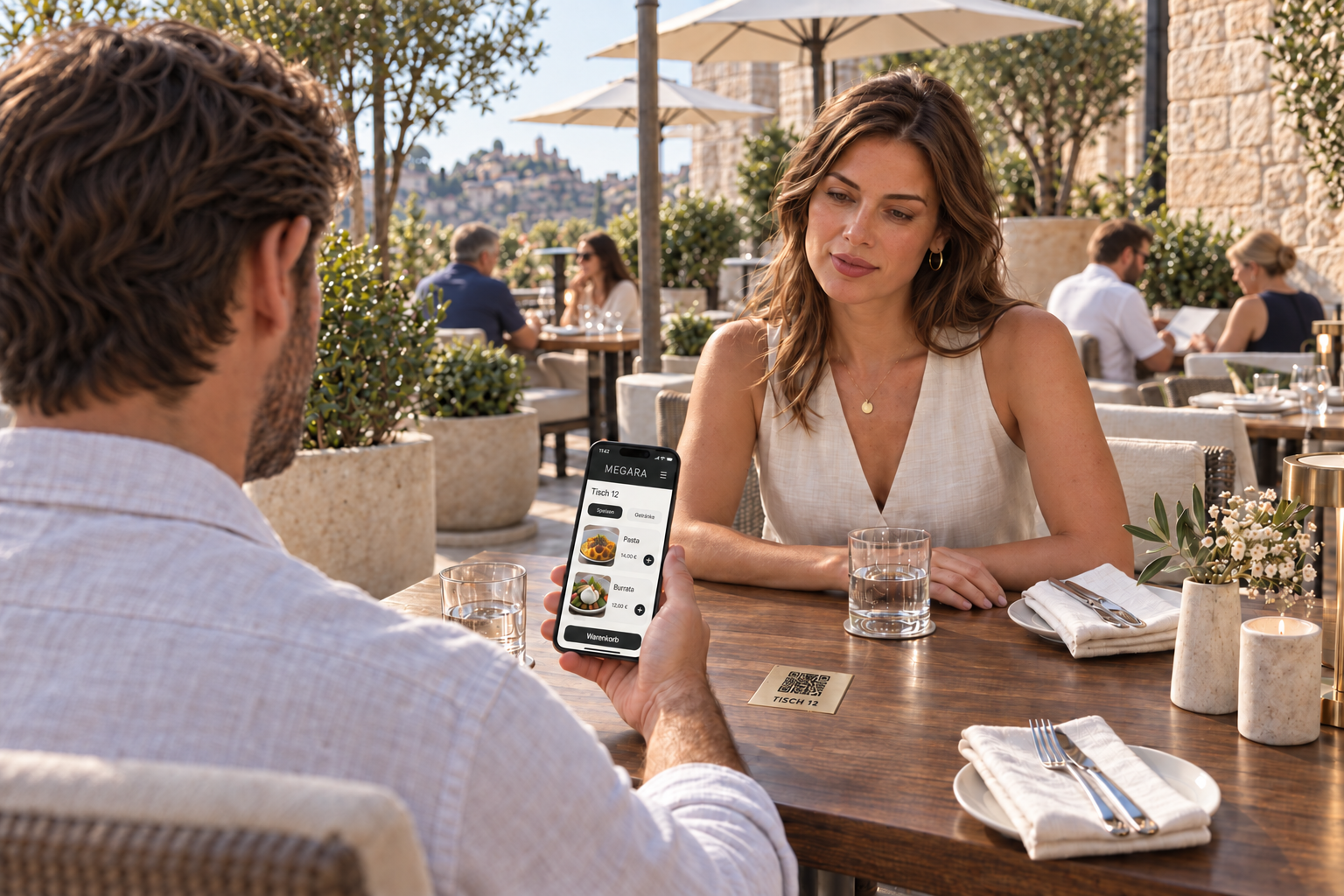
A QR code at the table opens the ordering page on a smartphone. Guests choose their own items and extras. The order is assigned to the intended table.
QR orders can complement your personal service, for example on the terrace or when guests would like another round. You decide which process suits your café.
The public ordering route requires a reachable server and internet connection. Online payment needs a suitable payment integration. We agree which items, times and payment methods are offered during setup.
At a SelfOrder terminal, guests choose from your range themselves. Pictures and item options support their order. This can ease demand at the counter and provides a dedicated place to make a selection.
We consider location, accessibility, power and network connections, and the route to collection. The device, receipt output and payment integration need to work together. A terminal adds value when the handover of the finished order is also clear.
05 / Preparation & collection
The espresso machine, cake counter and small kitchen work together. The digital order board shows orders on a screen and makes their progress visible.
Open quantities, waiting times and special requests help your team stay organised. Items can be marked as in preparation or ready, or set aside for later.
We agree which orders are needed at each workstation. The coffee station receives the information that supports its next step.
Instead of piecing together shouted requests, the team sees recorded orders with their associated information. The devices used and the way coffee, food and collection work together depend on your setup. Marking an item as ready records the completed step in the system.
1 × with oat milk
1 × with whole milk
Extra espresso
Takeaway
From the display
For two guests
How the steps connect · Example workflow
06 / Paying & coming back
Pay straight away at the counter or split the bill after a second coffee: Megara supports a finish that follows the way your guests enjoy their visit.
Cash, card and contactless. Suitable devices and integrations also enable mobile payment methods. We check providers, country of use and existing hardware together.
Assign items to individual guests and settle the required part of the bill. Tips and additional payment methods can also be included in the configured process.
Printed or digital receipts complete the sale. Invoice data and exports support the subsequent bookkeeping and provide a traceable handover.
Available payment integrations depend on the contract, device and country, among other factors. Existing or desired providers are therefore checked individually. A digital till receipt is not automatically a structured e-invoice whose data accounting software can process. Required invoice formats, tax settings and the till's technical security system are agreed separately.
Vouchers, customer cards & shop
A voucher gives someone a visit to look forward to. A customer card connects future visits. Megara supports management and redemption in the configured processes, according to your range and rules.
We discuss how credit is topped up, spent and checked. Online top-ups and connections to an online shop are planned where a suitable integration is available. Validity periods, discounts and eligible items need clear rules your team can understand during a sale.

A good reason
to come back.
07 / Stock & stocktaking
Milk, beans, syrup and products for the shelf: reliable sales start before the first guest arrives. Megara connects stock levels, deliveries and stocktaking.
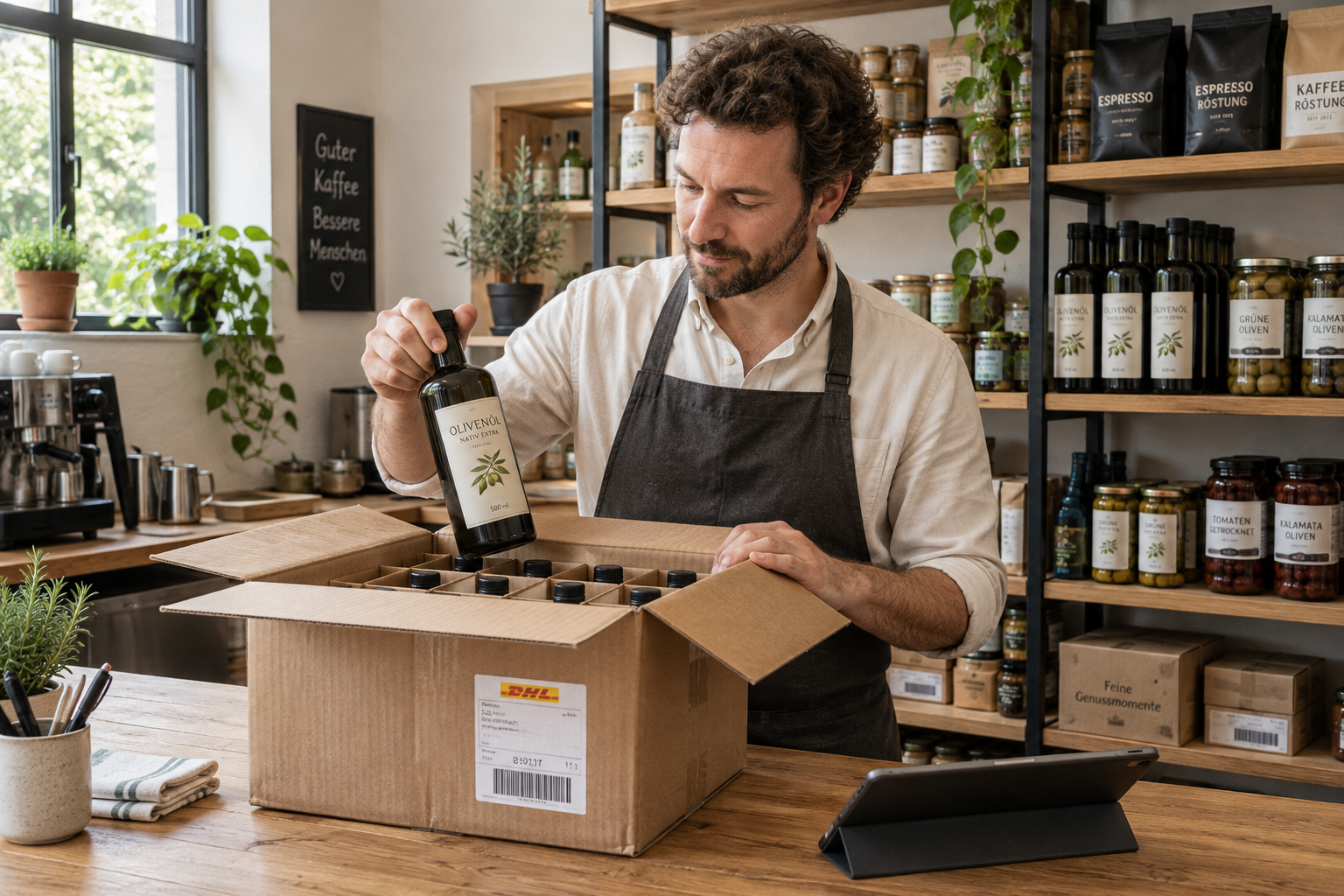
Organising supplies
Record incoming goods and keep track of stock in each storage location. Minimum stock levels help with planning. Supplier orders and stock transfers connect purchasing with daily use.
We agree units, pack sizes, suppliers and storage locations. Prepared products require correctly maintained ingredients and assignments for stock management. Selling a drink alone does not replace this setup. Barcode and label workflows can support recording.
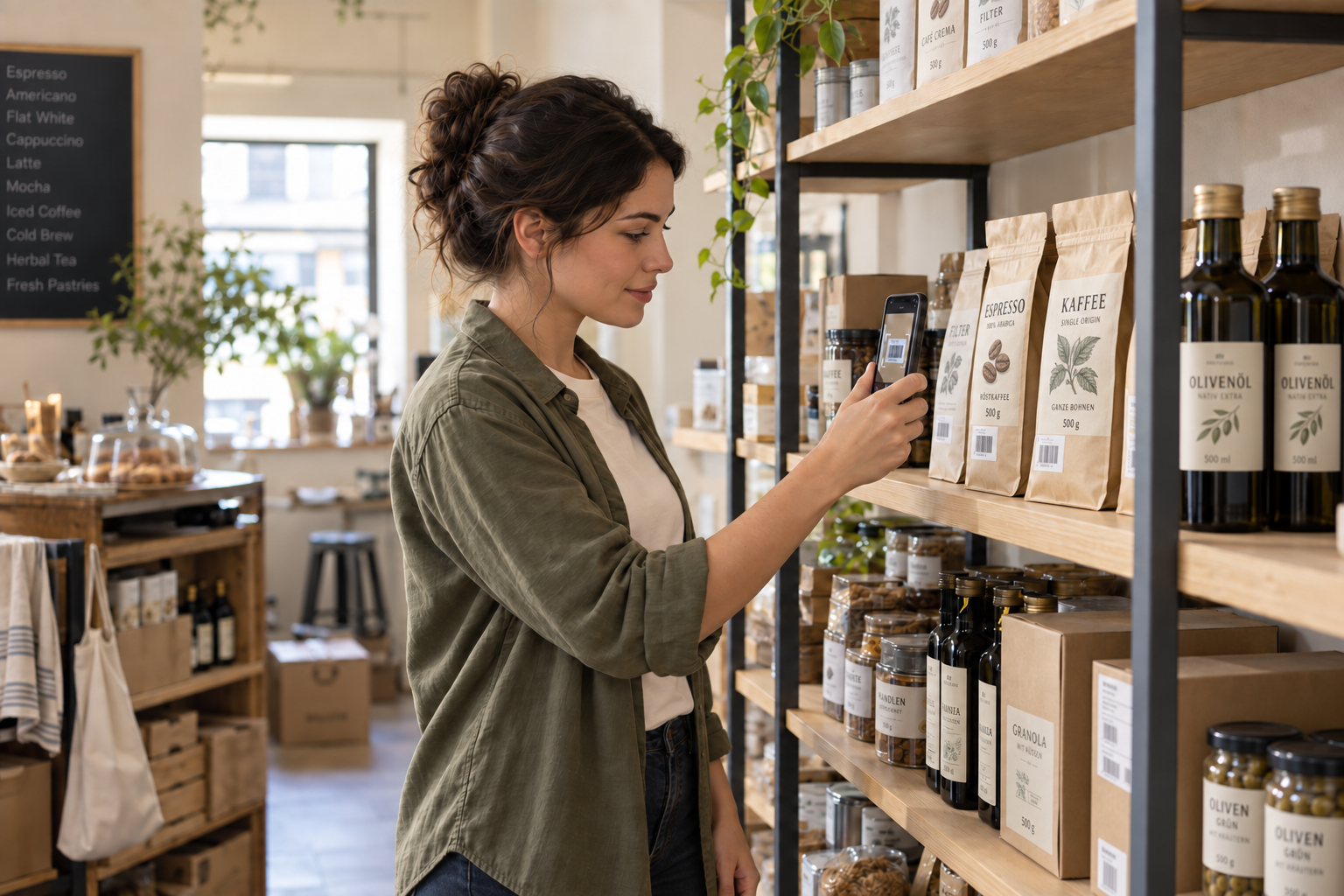
Checking stock
A suitable smartphone camera or barcode scanner helps find items during stocktaking. Counted quantities are recorded, and the report compares stock levels and differences.
We establish which items and storage areas will be counted, the units to use and which devices are suitable. The stocktake results can be exported as a table. Differences remain visible and can be reviewed clearly.
08 / Connected locally
Till data is stored on your local server. Within the configured local network, the till can continue working if the internet connection fails.
The server, power supply and internal network must keep working. Reliable network coverage, backups and an agreed recovery procedure belong in the plan. If you have particular requirements, we also discuss additional protection and, where appropriate, a second server solution.
Shared till data on your premises
What still needs the internet: public QR orders, online reservations, external services and many card payments. We plan these routes with their respective requirements.
09 / Reports & bookkeeping
Which offers make the day? Which product groups are popular? Megara makes recorded sales available for analysis and helps you take a closer look at everyday business.
Daily reports and analysis by product group show how your sales break down. You can run café and shop together while viewing them separately.
Permissions determine who can use which functions. Recorded transactions, corrections and cancellations can be checked using the available reports.
We establish which reports are useful to you and who can access them. A traceable transaction provides a basis for review; it does not replace a person's assessment of unusual activity.
Invoice data and the DATEV export support further processing. Accounts, payment methods and export scope are agreed with your business and accountant.
If you already use an online shop, ordering system or other services, we check the specific connection. The available interfaces, required data and clear responsibilities are what matter. We plan the route from order to completion and establish how cancellations and errors are handled.
10 / Your concept sets the pace
A coffee shop at a station works differently from a patisserie with a terrace. Your range, team and guests are therefore the starting point for choosing the right combination of functions.
Connect personal selection at the counter with table service. Table plans, reservations and a clear assignment help bring cake and drinks together. The digital order board supports coordination between preparation and collection.
For takeaway coffee, easy access to items, clear extras and a simple route to collection matter. An ordering terminal can provide another place to order. Devices and payment methods should suit the available space.
Coffee beans, delicatessen products, cups or small gifts complement your café. Megara brings sales together in one system. Item management, barcodes and separate product groups keep the additional range clear.
11 / Good to know
Here are practical answers to help you plan. We discuss the right combination based on your business.
Yes, café items and retail goods can be managed in one POS system. Product groups, items and pricing rules are set up accordingly. Separate reports let you review each area, while barcode and stock workflows support shop sales.
Recurring requests are configured as item options, such as milk alternative, size or extra espresso. Selection rules and stored prices accompany the item. A free-text request can add further information.
A coordinated QR workflow can connect the selection at the counter to the intended table. We plan when the table is assigned, who uses the code and how drinks are added. The process is configured for your devices and service style.
Personal service, QR ordering and SelfOrder terminals can complement each other. You decide where each route is offered. Clear assignment and collection matter. Public orders and online payments need the appropriate internet connection and payment integration.
Within the configured local network, the till can continue working with the local server. The server, power supply and internal network must remain available. Public online orders, external reservation services and many card payments still depend on an internet connection.
Items can be found by barcode and counted quantities recorded. A suitable smartphone camera or barcode scanner can help. Reports show stock levels, counts and differences; a table export supports further review.
We check your existing hardware and preferred payment methods. Availability and compatibility depend on the device, provider, contract and country of use. This leads to a specific setup for the counter, mobile service, shop and, if required, an ordering terminal.
We discuss your range and workflows, configure the chosen functions and train your team. Personal advice, telephone and online support, and on-site assistance are planned according to your location and agreed service scope.
12 / Personally by your side
We look at how your place works, what your team needs and where the day could run more smoothly. Your Megara solution grows from there.
Products, sales routes, devices and handovers are planned to work together in your business.
Personal training explains the workflows using examples from your own café and shop.
Telephone and online support, available around the clock on request, and on-site assistance within the agreed service scope.
